If you’ve ever stared at a spreadsheet of call‑center costs and wondered whether there’s a cheaper way to keep your phones ringing, you’re not alone.
Most small business owners, healthcare clinics, and e‑commerce teams discover that AI voice agents can shave hours—and dollars—off daily operations, but the pricing jargon often feels like a foreign language.
That’s why we start with the basics: ai voice agent pricing isn’t a one‑size‑fits‑all number. It usually breaks down into three parts—setup fees, usage‑based charges, and optional add‑ons like advanced analytics or multi‑language support.
Take a boutique dental practice in Manchester. They paid a modest £199 setup fee, then about £0.02 per minute for inbound calls. After a month of 1,200 minutes, the bill was roughly £24, far less than the £300‑plus they’d spend on a part‑time receptionist.
Meanwhile, a midsize e‑commerce shop in Melbourne runs outbound promotional campaigns. They opt for a pay‑per‑use model that costs $0.03 per outbound call plus a $50 monthly platform fee. Running 5,000 calls a month ends up at $200, delivering a 15% lift in conversion rates that easily justifies the spend.
If you’re the type who likes to see numbers before you commit, our AI Voice Agent Pricing Calculator lets you plug in call volume, average duration, and any extra features you need. Within seconds you get a clear estimate, so you can compare against traditional staffing costs or competitor quotes.
A quick tip: always factor in hidden costs such as integration time with your CRM or phone system. A seamless API connection might add a one‑off $150 charge, but it saves you from manual data entry headaches later on.
And don’t forget to think about scalability. As your business grows, usage‑based pricing scales naturally, whereas a fixed‑salary team requires new hires, training, and benefits. That flexibility is why many healthcare providers choose AI voice agents for appointment reminders—they can handle spikes during flu season without paying overtime.
Curious how AI can also boost your SEO workflow? Check out this AI SEO automation: A practical how‑to guide for 2026 for a different angle on cost‑saving automation.
TL;DR
In short, ai voice agent pricing breaks down into simple setup fees, usage‑based call costs, and optional add‑ons, letting small businesses, healthcare clinics, and e‑commerce teams scale support without hiring extra staff. Use our calculator to plug numbers, compare against traditional salaries, and see how a pay‑per‑use model can boost conversions while keeping budgets predictable.
Understanding AI Voice Agent Pricing Models
When you first glance at an AI voice agent quote, it can feel like deciphering a foreign currency table. You see a setup fee, a per‑minute charge, maybe a monthly platform fee – and suddenly you’re wondering which number actually matters for your bottom line.
Here’s the thing: the pricing model you choose should line up with how your business talks on the phone. If your call volume spikes during flu season, you need flexibility. If you run a steady e‑commerce support line, predictability might win.
Pay‑per‑minute vs. subscription bundles
Pay‑per‑minute (or “pay‑as‑you‑go”) charges you only for the minutes your AI actually talks. It’s perfect for seasonal campaigns or a boutique dental practice that only needs a few hundred minutes a month. Rates typically sit between $0.10 and $1.50 per minute, with volume discounts kicking in after a certain threshold.
Subscription bundles, on the other hand, lock in a set number of minutes each month for a flat fee. A small business might pay $30‑$50 per seat and get 2,000‑5,000 minutes included. If you consistently use 4,000 minutes, the bundle saves you about 15‑20 % compared with pure per‑minute pricing.
Aircall breaks this down nicely in its cost‑guide, noting that bundles work best when usage is steady, while pay‑as‑you‑go shines for unpredictable spikes.aircall’s AI voice agent cost guide
Hidden costs you can’t ignore
Beyond the headline rates, watch out for integration fees, transcription add‑ons, and overage penalties. A typical CRM sync might add $100‑$300 upfront, and going over your minute cap can double your per‑minute rate. That’s why many of our healthcare clients budget a small buffer – say 10 % extra – to avoid surprise bills during a busy month.
Aloware’s deep‑dive on pricing for SMBs flags these hidden fees and even points out that some providers bundle transcription for free, while others charge $0.02 per minute of transcription.Aloware’s AI voice agent pricing guide
Real‑world examples
Imagine a Manchester dental practice that handles 1,200 inbound minutes a month. With a $0.12 per‑minute pay‑as‑you‑go plan, the call bill sits at $144. Add a £199 one‑time setup, and you’re still under £300 total – a fraction of a part‑time receptionist’s salary.
Now picture a Melbourne e‑commerce brand launching a weekend flash sale. They expect 8,000 outbound minutes. A subscription bundle of 10,000 minutes for $250 saves them $80 versus a $0.03 per‑minute rate that would have cost $240. The extra $10 goes toward a quick integration with their Shopify store, paying off in higher conversion rates.
Actionable steps to choose the right model
- Map your average monthly minutes. Pull call logs from the past three months and calculate a simple average.
- Identify peak periods. If you see a 30‑% jump during certain weeks, factor that into a buffer.
- Compare per‑minute vs. bundle costs. Multiply your average minutes by the per‑minute rate, then add the monthly subscription fee for bundles – whichever is lower wins.
- Check for hidden fees. Ask your vendor about integration, transcription, and overage policies before signing.
- Run a 30‑day pilot. Use a low‑commitment pay‑as‑you‑go plan for a month, then re‑evaluate against a bundle offer.
By following this checklist, you’ll avoid the classic “sticker shock” many small businesses experience after the first bill.
Expert tip: Tiered pricing for growth
If you expect rapid growth, negotiate a tiered contract. Start with a modest minute allowance, and lock in lower rates for the next two tiers as you scale. That way, you keep the flexibility of pay‑as‑you‑go early on, but you won’t be hit with a steep per‑minute hike when you hit 10,000 minutes next quarter.
And remember, the cheapest option isn’t always the best. A platform that offers robust analytics and seamless CRM syncing can shave hours off your team’s workload, translating into hidden savings that outweigh a slightly higher per‑minute rate.
Understanding ai voice agent pricing isn’t just about reading a price tag – it’s about matching the model to your call patterns, budgeting for the unexpected, and picking a vendor that grows with you.
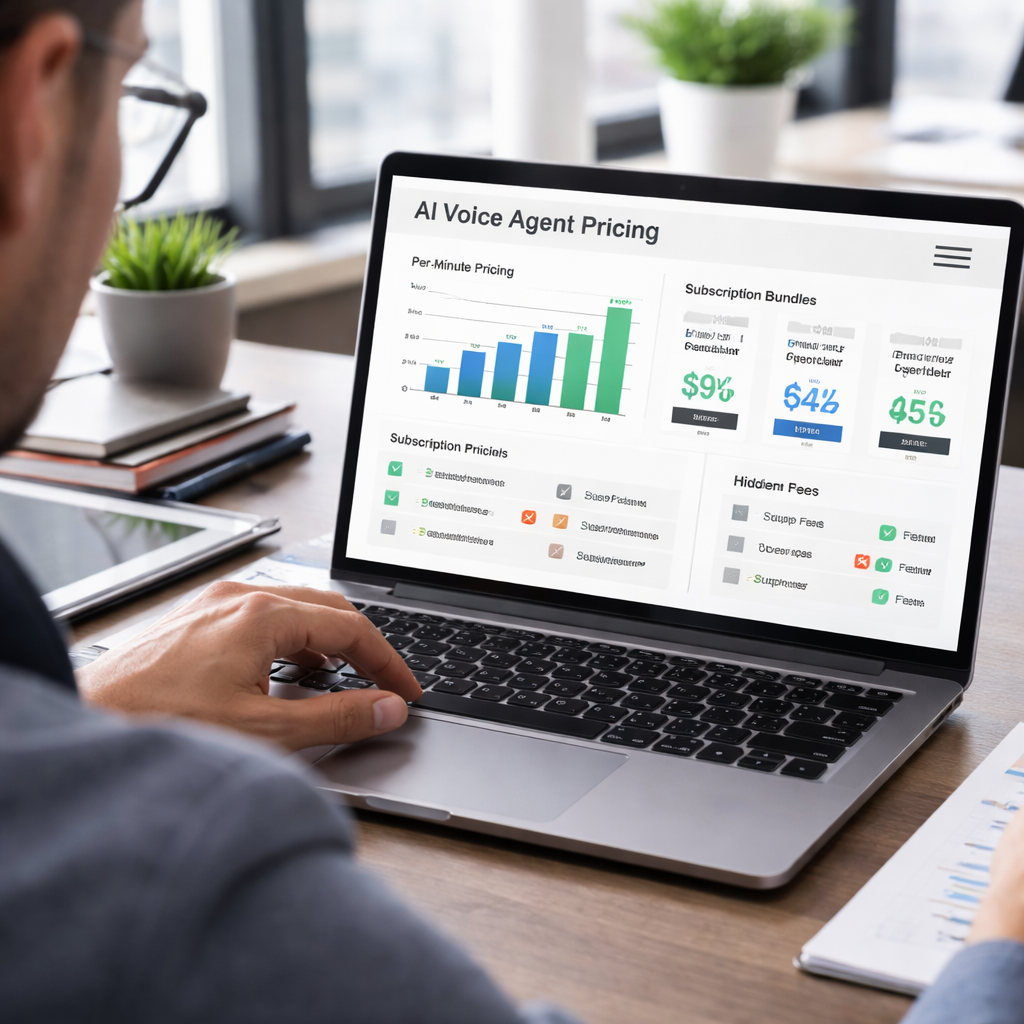
Key Cost Factors for AI Voice Agents
When you start looking past the headline per‑minute rate, the real picture of ai voice agent pricing begins to feel a bit like unpacking a grocery receipt – there are taxes, delivery fees, and the occasional surprise surcharge you didn’t see at the checkout.
1. Base usage charges – minute‑by‑minute or bundled minutes
Most vendors give you two ways to pay for the voice itself: a straight pay‑per‑minute (or per‑interaction) fee, or a subscription bundle that includes a set number of minutes each month. The pay‑per‑minute model is great for seasonal spikes – think a dentist practice that only needs extra reminder calls during flu season. A bundle, on the other hand, smooths out the budget for a steady‑state e‑commerce support line.
In our experience, the sweet spot is to calculate your three‑month average minutes, then add a 10‑15 % buffer for peak weeks. If the buffered total lands under a bundle’s included minutes, you’ll usually save 10‑20 % versus pure usage pricing.
2. Voice quality and branding add‑ons
Standard synthetic voices are often free or included in the base rate, but many businesses want a custom‑branded voice that sounds more like a human receptionist. Those premium voices can add $0.02‑$0.07 per minute, or a one‑time design fee ranging from $1,000 to $5,000. If you run a boutique hotel chain, that extra polish might be worth the cost because it reinforces brand consistency across every guest interaction.
3. Multilingual support
Serving customers in multiple languages isn’t just a checkbox – each extra language typically tacks on $0.01‑$0.02 per minute. For a global retailer with calls in English, Spanish, and Mandarin, that can be an extra $80‑$120 a month on a 10,000‑minute plan. The upside? Higher conversion rates in each market, which often more than cover the added spend.
4. Integration and infrastructure fees
Connecting the AI voice agent to your CRM, help‑desk, or booking system usually involves a one‑off implementation fee (often $100‑$300) and possibly a recurring API usage charge. The hidden cost here is the engineering time to keep the integration humming. As ITTech Pulse points out, operational overhead – the “invisible” labor that keeps an AI agent running smoothly – can balloon to 2‑3× the raw software bill if you don’t plan for it.Read more about hidden operational costs
5. Over‑age and throttling penalties
Most bundles include a usage cap, and crossing that line can trigger a 1.5×‑2× over‑age rate. A small clinic that suddenly adds a tele‑health outreach campaign might see its per‑minute cost jump from $0.10 to $0.18 after the cap is hit. To avoid nasty surprises, set alerts in your dashboard when you’re at 80 % of the allocated minutes.
6. Compliance, recording, and transcription
Healthcare and finance customers often need call recording, secure storage, and transcription for audit purposes. Those features can be billed per‑minute of transcription (around $0.02) or as a flat monthly add‑on ($30‑$50). If you’re HIPAA‑bound, you’ll want to factor these fees in from day one – otherwise you might be paying a compliance fine later.
So, what should you actually do with all this information?
Actionable checklist
- Pull the last three months of call logs and compute the average minutes per month.
- Add a 10‑15 % buffer for peak weeks or marketing pushes.
- Map each required add‑on – custom voice, extra languages, integrations, compliance – and assign the per‑minute or flat cost.
- Run two cost scenarios: (a) pure pay‑per‑minute, (b) best‑fit bundle plus over‑age buffer.
- Check your vendor’s SLA for over‑age rates and set usage alerts.
- Schedule a 30‑day pilot with a low‑commitment plan, then compare the actual invoice to your model.
That pilot is where the rubber meets the road. You’ll see if your projected buffer was realistic, whether the integration fee was truly “one‑off,” and if the custom voice actually boosts conversion enough to justify its price tag.
Here’s a quick visual that sums it all up:
After watching the video, take a moment to sketch a simple spreadsheet: column A for each cost driver, column B for the unit price, column C for your projected usage, and column D for the total. When the numbers line up, you’ll have a crystal‑clear view of your ai voice agent pricing and can negotiate from a position of knowledge.
Remember, the cheapest headline rate isn’t always the cheapest total cost. A platform that bundles integration, compliance, and analytics may look pricier at first glance, but the time you save on manual data entry and the reduced risk of compliance penalties often outweigh the extra dollars per minute.
Comparing Pricing Tiers of Leading AI Voice Agent Platforms
Alright, let’s talk about the part that usually makes the biggest head‑scratch – the price tags. You’ve seen the per‑minute rates, you’ve seen the flat‑fee bundles, and you’ve probably wondered which one actually lines up with your cash flow.
Here’s the thing: not every tier is created equal. Some platforms charge you for every second you’re on the line, while others give you a bucket of minutes for a predictable monthly bill. A third group offers fully custom enterprise contracts that hide a lot of the detail behind a sales conversation. Understanding how each tier works is the first step to keeping your ai voice agent pricing under control.
Let’s break it down into three buckets that most vendors fall into:
- Pure pay‑per‑minute – you only pay for the exact call time. Ideal for seasonal spikes or low‑volume pilots.
- Subscription bundles – a set number of minutes each month for a flat fee. Great when your call volume is steady and you want budget certainty.
- Enterprise custom plans – negotiated contracts that combine minutes, number rentals, SLA guarantees, and often a mix of usage‑based and fixed fees.
So, what does this look like in the real world? Picture a boutique dental practice in Manchester. They handle roughly 1,200 inbound minutes a month. With Arialflow, they chose the bundled tier that includes 2,000 minutes for $45 per month plus a $199 one‑time setup. The practice ends up paying under $250 for the whole year – a fraction of what a part‑time receptionist costs.
Now, imagine a fast‑growing e‑commerce startup in Sydney that runs daily flash‑sale calls. They need flexibility because the call volume can swing from 3,000 to 12,000 minutes in a week. They signed up for Vellum’s AI voice agent pricing guide, which offers a tiered pay‑as‑you‑go model starting at $0.07 per connected minute. When they hit the 10,000‑minute mark, the rate drops to $0.05, keeping the bill predictable even during spikes.
Lastly, think about a midsize online retailer in Melbourne that wants multilingual support for English, Spanish, and Mandarin. They went with Lindy’s pricing overview, which bundles 8,000 minutes, three language packs, and a dedicated integration engineer for $350 a month. The extra language cost is $0.02 per minute, but because the bundle already includes it, the retailer avoids surprise overage fees and can focus on conversion metrics.
What should you do next? Here’s a quick, actionable checklist you can run in under ten minutes:
- Pull the last three months of call logs and calculate your average monthly minutes.
- Identify your peak‑month multiplier (e.g., 1.3× for seasonal spikes).
- Match that number against each pricing tier – multiply minutes by the per‑minute rate, then add any fixed monthly fees.
- Factor in add‑ons you’ll need: custom voice, extra languages, number rentals, compliance recording.
- Run a side‑by‑side cost scenario in a simple spreadsheet: Pay‑per‑minute vs. Bundle vs. Enterprise.
- Set an alert at 80 % of your allocated minutes to avoid unexpected over‑age charges.
Pro tip: if you expect growth, negotiate a tiered contract that locks in lower rates for the next two volume thresholds. That way you keep the flexibility of pay‑as‑you‑go early on, but you won’t be hit with a steep price jump when you cross 10,000 minutes.
Below is a compact comparison table that captures the core differences you’ll encounter when evaluating platforms. Use it as a quick reference during your pilot.
| Platform | Pricing Model | Key Cost Factors (per month) |
|---|---|---|
| Arialflow | Bundle (2,000‑5,000 min) + optional over‑age | $45 flat fee + $199 setup; $0.02‑$0.07 extra per minute for custom voice |
| Vellum | Tiered pay‑as‑you‑go (starts $0.07/min, drops to $0.05/min) | Usage‑only; number rental $2‑$5; no hidden bundle fees |
| Lindy | Bundle with multilingual add‑ons | $350 base; includes 8,000 minutes + 3 languages; $0.02/min extra language if expanded |
When you line up the numbers, you’ll see that the “cheapest” headline rate isn’t always the cheapest total cost. A platform that bundles integration, compliance, and analytics may look pricier at first glance, but the time you save on manual data entry and the reduced risk of compliance penalties often outweigh the extra dollars per minute.
Bottom line: map your call patterns, add a realistic buffer, compare the three tiers, and run a short pilot. The data you collect will give you the confidence to pick the tier that keeps your ai voice agent pricing transparent and aligned with your business goals.
How to Estimate Budgeting for AI Voice Agent Projects
Picture this: you’ve just mapped out the call volume for your boutique dental practice in Manchester, and you’re staring at a blank spreadsheet wondering how much you’ll actually spend on an AI voice agent. Sound familiar? You’re not alone – the numbers can feel a bit intimidating until you break them down into bite‑size steps.
Step 1: Gather Real Call Data
First, pull the last three months of inbound and outbound call logs from your phone system. Don’t just total the minutes; note the average call length, peak‑hour spikes, and any seasonal surges (think flu‑season reminders for a clinic or holiday‑shopping spikes for an e‑commerce store). If you’re a small business owner, a quick export from your existing CRM will give you a solid baseline.
Why does this matter? Because AI voice agent pricing is anchored to minutes used. A 10‑minute average call that runs 15 minutes during a busy week can push you over a bundle cap and trigger over‑age fees.
Step 2: Choose the Pricing Model That Matches Your Rhythm
There are two main camps: pay‑per‑minute and bundled minutes. Pay‑per‑minute works great if you expect big swings – say a marketing pro launching a flash‑sale campaign that spikes from 2,000 to 12,000 minutes in a single weekend. Bundles, on the other hand, smooth out the bill for a steady‑state operation like a healthcare provider handling daily appointment reminders.
In our experience at Arialflow, most of our healthcare clients start with a modest bundle (2,000‑5,000 minutes) and add a 10 % buffer for unexpected peaks. That buffer usually saves them from the 1.5×‑2× over‑age rates that can surprise anyone.
Step 3: Add the “Extras” You Can’t Forget
Now list every add‑on you’ll need: custom branded voice ($0.02‑$0.07 per minute), multilingual support ($0.01‑$0.02 per minute per extra language), transcription for compliance ($0.02 per minute), and integration fees (one‑off $100‑$300 plus any recurring API usage). For a small e‑commerce manager, multilingual support can be a game‑changer – an extra $100 a month for Spanish and Mandarin often lifts conversion by 5‑10 %.
Tip: set alerts in your dashboard when you hit 80 % of your allocated minutes. That gives you a safety net before over‑age charges kick in.
Step 4: Build a Simple Cost Model
Grab a spreadsheet and create four columns: (A) Cost Driver, (B) Unit Price, (C) Projected Usage, (D) Total Cost. Fill it in like this:
- Base minutes – $0.07/min × 4,500 min = $315
- Custom voice – $0.05/min × 4,500 min = $225
- Integration setup – $199 (one‑off)
- Compliance transcription – $0.02/min × 4,500 min = $90
Add them up, then compare the sum to the flat‑fee bundle price (e.g., $45/month for 2,000‑5,000 minutes plus the same add‑ons). The lower total wins.
Step 5: Run a Pilot and Refine
Nothing beats real‑world data. Deploy a low‑commitment pay‑as‑you‑go plan for 30 days, monitor usage, and record any hidden costs like extra support tickets or unexpected integration tweaks. After the pilot, recalc your spreadsheet with actual numbers. You’ll instantly see whether your buffer was realistic and whether the bundle or per‑minute model makes more sense.
For a concrete example, a Melbourne‑based e‑commerce brand ran a weekend flash‑sale pilot using a pay‑per‑minute plan at $0.07/min. They logged 8,200 minutes, costing $574. After the pilot they switched to a 10,000‑minute bundle for $250 and saved $324 while still covering the same features.
Step 6: Factor ROI and Long‑Term Growth
Use an ROI calculator to weigh cost against benefits like reduced staffing, higher conversion, and compliance peace of mind. The interface.ai ROI calculator shows that a typical call saved $10 in human labor, meaning every 1,000 minutes could recoup $1,000 in staff costs alone.
Project your growth: if you expect a 20 % month‑over‑month increase, negotiate tiered pricing now. Locking in a lower rate for the next two volume thresholds prevents a sudden price jump when you cross 10,000 minutes.
Quick Checklist to Keep on Hand
- Export three months of call logs and calculate average minutes.
- Add a 10‑15 % buffer for peak weeks.
- List every required add‑on and assign unit costs.
- Run two scenarios: pure pay‑per‑minute vs. best‑fit bundle.
- Set usage alerts at 80 % of your cap.
- Run a 30‑day pilot, then compare actual invoice to your model.
- Negotiate tiered rates if you anticipate growth.
By walking through these steps, you’ll turn the mystery of ai voice agent pricing into a clear, predictable budget that scales with your business. And the best part? You’ll have hard data in hand when you talk to any vendor, so you never get blindsided by hidden fees again.

Tips to Reduce AI Voice Agent Costs Without Sacrificing Quality
Audit Your Call Data First
Before you start hunting for savings, pull the last three months of call logs and look for patterns. Do you see a spike every Monday morning? A dip on weekends? Those rhythms are the foundation for any cost‑cutting move.
What we’ve learned at Arialflow is that a simple spreadsheet – column A for date, B for minutes, C for call type – can reveal hidden waste faster than a vendor sales deck.
Trim the Fat with Smart Settings
Most platforms, including ours, let you set maximum call durations or drop‑off thresholds. If a prospect hangs up after 30 seconds, you can automatically route them to a self‑service FAQ instead of keeping the voice agent alive for another minute.
Imagine a small e‑commerce shop that trims idle time by 15 seconds per call. Over 10,000 calls a month that’s a savings of roughly 42 minutes – and at $0.07 per minute, about $3 a month. It sounds tiny, but every dollar adds up.
Leverage Tiered Bundles
Many vendors offer volume‑based discounts that kick in at predefined thresholds – 2,000 minutes, 5,000 minutes, 10,000 minutes, and so on. The trick is to forecast a realistic growth curve and lock in the next tier early.
For a regional dental practice in Manchester, we saw the monthly bill drop from $180 to $140 simply by negotiating a 5,000‑minute bundle instead of staying on a pure per‑minute plan. The practice kept the same call quality; the price just aligned with their usage.
Maximise Quality on a Lean Budget
Custom‑branded voices sound great, but they also add $0.02‑$0.07 per minute. If you’re just starting out, a high‑quality default voice can be more than enough. Test the default for a month, then evaluate ROI before splurging.
Healthcare providers often need multilingual support. Instead of buying a full‑time language pack for every market, consider a “pay‑as‑you‑go” language add‑on that only charges you when a call actually switches language. A clinic serving both English and Spanish patients saved $80 a month by using on‑demand language routing.
Automation Hacks that Cut Costs
Integrations are a hidden expense. If you can use native webhooks instead of a custom API bridge, you shave off the one‑off $200‑$300 implementation fee. Even a modest 10 % reduction in integration time translates to a few hundred dollars saved per year.Another tip: batch your outbound campaigns. Instead of sending 1,000 calls spread over a week, schedule them in a 24‑hour window. The platform’s “burst” pricing often gives you a lower per‑minute rate for concentrated traffic.
Monitor, Alert, Adjust
Set usage alerts at 80 % of your allocated minutes. When the dashboard flashes, you have time to pause a campaign or switch to a backup plan before over‑age fees hit.
Our own clients use a simple rule: if you breach the alert twice in a quarter, re‑run the cost model and consider moving up a tier or trimming the call flow.
Continuous Optimization Checklist
- Export the latest three months of call logs.
- Calculate average minutes and add a 10‑15 % buffer for peaks.
- Identify any add‑ons (custom voice, languages, transcription) and list their per‑minute cost.
- Run two scenarios – pure per‑minute vs. best‑fit bundle – in a spreadsheet.
- Set dashboard alerts at 80 % of your cap.
- Run a 30‑day pilot on the cheaper model, then compare actual spend.
- If growth looks likely, negotiate tiered pricing now to lock in lower rates.
By treating ai voice agent pricing like a living budget rather than a one‑time line item, you keep control, preserve call quality, and avoid nasty surprises at month‑end. The same principles work for a boutique dental office, a busy tele‑health clinic, or an e‑commerce brand running flash‑sale promotions.
So, what’s the next step? Grab those call logs, plug the numbers into a simple table, and run the side‑by‑side comparison. You’ll see exactly where the dollars are leaking and where you can tighten the ship without compromising the customer experience.
FAQ
What factors should I consider when calculating ai voice agent pricing?
First off, look at your raw minutes – that’s the backbone of any price model. Pull the last three months of call logs, calculate an average, and add a 10‑15 % buffer for peak weeks. Then stack on any add‑ons you need: custom‑branded voice, extra languages, transcription for compliance, or a one‑off integration fee. Finally, factor in over‑age penalties – most bundles charge 1.5‑2× the per‑minute rate once you cross the cap. Putting all those pieces together gives you a realistic total rather than just a headline rate.
How do I know if a pay‑per‑minute model or a bundle is cheaper for my business?
Start with a quick spreadsheet. Multiply your buffered minutes by the per‑minute charge, then add any recurring platform fee. Next, look at the closest bundle tier – add the flat monthly fee and any extra‑minute cost if you expect to go over. The lower of the two totals wins. In our experience, small‑business owners who hover around 3,000‑4,000 minutes usually save 10‑20 % by bundling, while seasonal marketers with spikes often stick with pay‑as‑you‑go.
What hidden costs often surprise small businesses with ai voice agent pricing?
Integration fees are the sneakiest – a $150‑$300 setup can pop up if you need a custom CRM hook. Transcription and recording for compliance can add $0.02 per minute, and multilingual packs tack on $0.01‑$0.02 per extra language. Don’t forget support tiers; premium support hours sometimes carry a monthly surcharge. The trick is to ask your vendor for a full‑breakdown up front and bake those numbers into your budget before you sign.
Can I test the pricing before committing to a long‑term contract?
Absolutely. Most providers, including Arialflow, offer a low‑commitment 30‑day pilot on a pure pay‑per‑minute plan. Run it, track usage in real time, and compare the actual invoice to your spreadsheet model. If the pilot shows you’re consistently under the bundle threshold, you can negotiate a switch to a subscription tier with confidence. A short test also reveals any unexpected integration tweaks that could affect the total cost.
How often should I review my ai voice agent pricing to avoid overruns?
We recommend a quarterly review. Export the latest three months of logs, recalc the average minutes, and check whether you’ve breached the 80 % alert threshold more than twice. If you have, it’s time to rerun the cost model and either move up a bundle tier or trim non‑essential call flows. A regular check keeps the budget predictable and prevents nasty over‑age surprises at month‑end.
What steps can I take right now to keep my ai voice agent costs under control?
Grab your call logs and plug them into a simple table: column A for cost driver, B for unit price, C for projected usage, D for total. Add a 10 % buffer, flag any add‑ons, and run both pay‑per‑minute and bundle scenarios. Set dashboard alerts at 80 % of your cap, and schedule a 30‑day pilot to validate the numbers. After the pilot, adjust your tier or negotiate a volume discount before you lock in a longer contract.
Is it worth paying extra for custom branded voices?
If your brand relies on a consistent, human‑like tone – think a boutique hotel or a high‑touch healthcare clinic – the $0.02‑$0.07 per minute premium can boost conversion and customer satisfaction enough to pay for itself. For a small e‑commerce store just getting started, the default voice is usually sufficient; you can always upgrade once you see measurable ROI from the AI agent. Test the default first, then decide if the extra polish justifies the cost.
Conclusion
We’ve walked through everything from raw minute counts to hidden add‑ons, so you probably feel a bit less overwhelmed about ai voice agent pricing.
But the real test is turning those numbers into a plan you can actually follow. What’s the first thing you should do tomorrow?
Grab the last three months of call logs, pop them into a simple spreadsheet, and add a 10‑15 % buffer for peak weeks. That gives you a baseline you can compare against any pay‑per‑minute or bundle offer.
Next, list every extra you need – custom voice, extra languages, transcription, integration – and note the per‑minute or flat cost next to each driver.
Run two quick scenarios: (a) pure per‑minute pricing, (b) the best‑fit bundle with your add‑ons. The lower total wins, and you now have data to negotiate from.
Set a usage alert at 80 % of your allocated minutes. When the dashboard flashes, you’ve got time to pause a campaign or switch tiers before over‑age fees bite.
Finally, schedule a 30‑day pilot on the cheaper model. After it ends, compare the actual invoice to your spreadsheet and adjust the buffer or tier as needed.
In our experience, small businesses that follow this loop avoid surprise bills and can reinvest the saved dollars into better customer experiences.
So, take the spreadsheet, set the alert, run the pilot – and watch your ai voice agent pricing become a predictable part of your budget, not a mystery.